
Download FoxyTunes – music control add‑on for Firefox
Overview
FoxyTunes is a lightweight, free Firefox add‑on that brings your desktop music player straight into the browser. Designed for music lovers who spend a lot of time online, the extension eliminates the constant need to alt‑tab between Firefox and a separate player. Once installed, you can play, pause, skip tracks, adjust volume, and even create playlists without ever leaving the web page you’re browsing.
The setup wizard guides you through player detection, so even users with multiple media applications can quickly pick the one they prefer. FoxyTunes supports an impressive roster of players—from iTunes and Winamp to VLC, Windows Media Player, and many open‑source options—making it a truly universal controller. Beyond the core playback controls, FoxyTunes adds several “extras” that turn a simple music controller into a social and productivity tool.
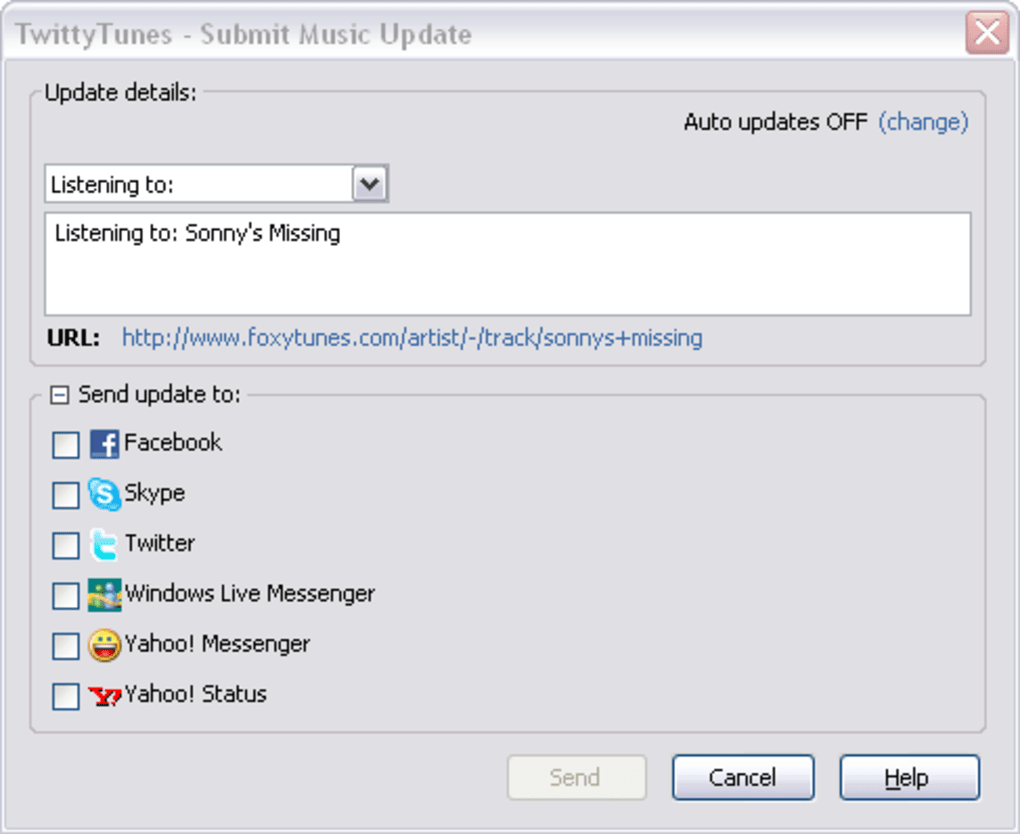
TwittyTunes lets you broadcast the currently playing track to Twitter and Facebook, while Signatunes appends the song title to your email signature, giving every message a personal soundtrack note. The add‑on also features a built‑in alarm clock, a sleep timer that stops playback after a set period, and a compact “mini” version that fits neatly into Firefox’s toolbar. Custom skins let you match the look of the control bar to your browser theme.
Although you still need the underlying player open, FoxyTunes dramatically reduces the friction of managing music while you surf, making it an essential companion for anyone who wants a seamless audio experience without sacrificing productivity.
Features & Extras
- Broad player compatibility: Works with iTunes, Windows Media Player, Winamp, VLC, Foobar2000, MediaMonkey, Spotify (desktop), and many more.
- Full playback control: Play, pause, stop, next/previous track, and volume adjustment directly from the Firefox toolbar.
- TwittyTunes integration: Automatically post the currently playing song to Twitter or Facebook with a single click.
- Signatunes email signature: Append the track name to outgoing email signatures for a personal touch.
- Alarm clock: Set a wake‑up alarm that starts playback at a specified time.
- Sleep timer: Schedule playback to stop after a chosen interval—perfect for bedtime listening.
- Mini‑mode toolbar: A compact version that occupies minimal space while retaining full functionality.
- Custom skins: Choose from a variety of skins or create your own to match Firefox’s appearance.
- Keyboard shortcuts: Assign hotkeys for quick control without mouse interaction.
- Auto‑detect player: The extension scans installed media applications and offers a simple dropdown for selection.
Installation, Usage & Compatibility
Installing FoxyTunes is straightforward. Open Firefox, navigate to the official Mozilla Add‑ons page, and click “Add to Firefox.” After granting the required permissions, the add‑on appears as a small music icon in the toolbar. The first time you click the icon, a setup wizard launches. It automatically scans your system for installed music players; if multiple candidates appear, simply select your preferred one from the list and confirm. The wizard then asks whether you want to enable optional extras such as TwittyTunes or the alarm clock—these can be toggled later in the preferences panel.
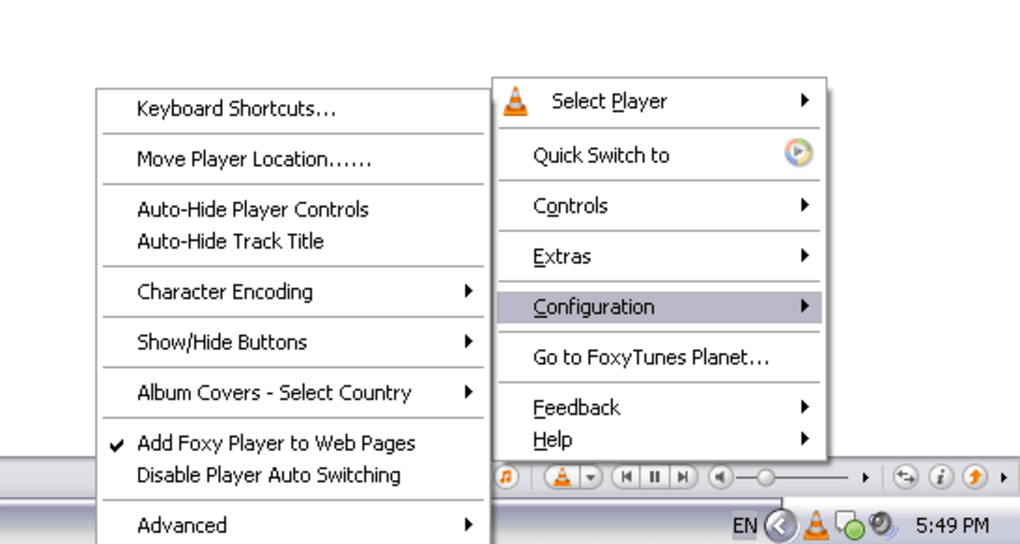
Once configured, using FoxyTunes is as easy as clicking the toolbar buttons. The main control bar displays play/pause, skip forward/backward, and a volume slider. Right‑clicking the icon opens a context menu with additional options: “Open Player,” “Show Playlist,” “Enable Mini‑Mode,” and “Preferences.” In the Preferences window you can fine‑tune hotkeys, choose a skin, enable or disable social sharing, and set the alarm or sleep timer. Because the add‑on communicates with the player via standard Windows or macOS APIs, changes you make in the player (like switching playlists) are reflected instantly in the toolbar status.
Supported operating systems: Windows 7/8/10/11, macOS 10.12+ (Catalina, Big Sur, Monterey, Ventura), and Linux distributions that run Firefox with the appropriate desktop integration libraries. Mobile versions of Firefox (Android, iOS) do not support FoxyTunes because the extension relies on native player APIs unavailable on mobile browsers.
Pros
- Extremely wide player support reduces the need for additional plugins.
- Social sharing features add a fun, community‑driven dimension.
- Alarm clock and sleep timer turn the extension into a multitasking utility.
- Lightweight and does not noticeably affect browser performance.
- Highly customizable skins and keyboard shortcuts.
Cons
- The underlying music player must remain open, which can consume system resources.
- No direct album‑change or playlist‑creation capabilities without using the player.
- Some newer streaming services (e.g., Spotify Web Player) are not fully supported.
- Limited functionality on Firefox for Android and iOS.
Conclusion, FAQ & Call‑to‑Action
FoxyTunes bridges the gap between web browsing and music playback, delivering a seamless, secure, and free solution for anyone who wants to keep the soundtrack of their day flowing without constant window juggling. Its robust feature set—especially the social extras and built‑in timers—sets it apart from basic media controls, while the straightforward installation process ensures even non‑technical users can get up and running in minutes. If you’re looking for a reliable way to manage your desktop music player from Firefox, FoxyTunes is the tool that delivers on that promise.
Frequently Asked Questions
-
Is FoxyTunes completely free?
Yes, FoxyTunes is a free add‑on available from the official Mozilla Add‑ons repository. There are no hidden fees or premium upgrades.
-
Which music players are supported?
FoxyTunes works with most desktop players, including iTunes, Windows Media Player, Winamp, VLC, Foobar2000, MediaMonkey, Spotify (desktop), and many others. A full list appears during the setup wizard.
-
Can I use FoxyTunes on my mobile device?
No. The extension relies on native APIs that are only available on desktop versions of Firefox (Windows, macOS, Linux). Mobile Firefox does not support it.
-
How does the alarm clock feature work?
In the Preferences window you can set a specific time for the alarm. When the time arrives, FoxyTunes launches your selected player (if it’s not already running) and starts playing the chosen playlist or the last played track.
-
Is my data safe when using TwittyTunes?
TwittyTunes only posts the song title and a link to the track (if available). It does not share personal browsing data, and all authentication is handled through the official Twitter/Facebook OAuth flow, ensuring secure connections.
Ready to streamline your listening experience? Click the button below to download FoxyTunes now and enjoy hassle‑free music control directly from Firefox.
Download FoxyTunes – Free & Secure






